Convert JSON Messages into Avro
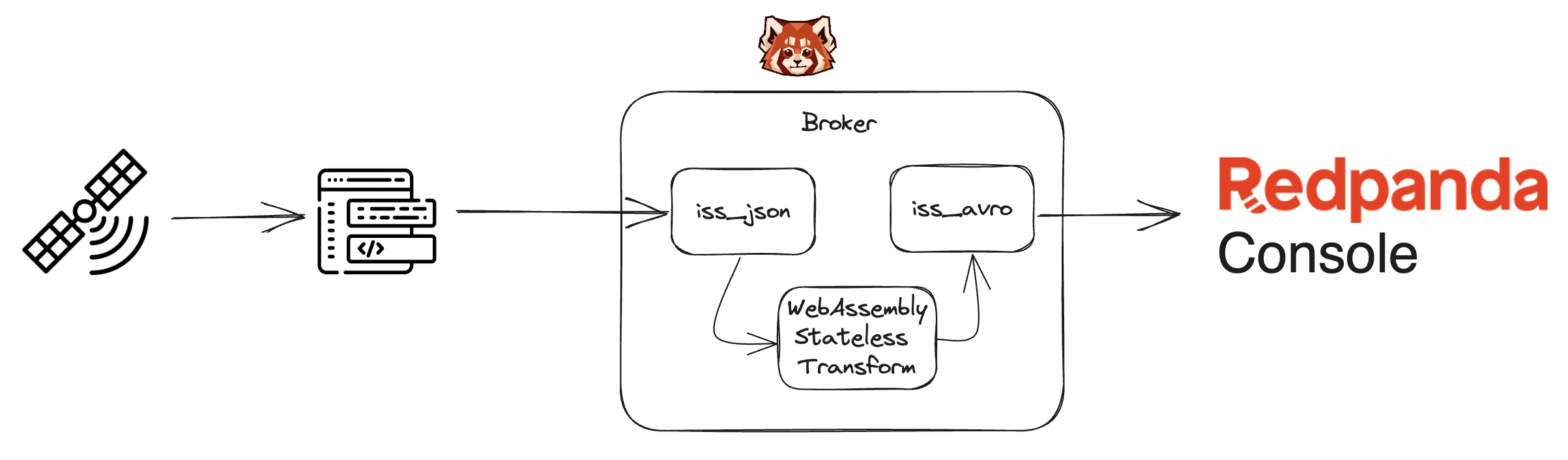
This example shows you how to query live tracking data from the International Space Station and convert it from JSON to Avro using Redpanda data transforms.
This example uses cURL to query data from api.open-notify.org which is then piped through to Redpanda using the rpk command-line client. When the data is in Redpanda, it’s converted from JSON to Avro using the transforms function. Then, you can see the converted data in Redpanda Console.
Prerequisites
You must have the following:
-
At least version 1.20 of Go installed on your host machine.
-
Install
rpkon your host machine. -
Docker and Docker Compose installed on your host machine.
Run the lab
-
Clone this repository:
git clone https://github.com/redpanda-data/redpanda-labs.git -
Change into the
data-transforms/iss_demo/directory:cd redpanda-labs/data-transforms/go/iss_demo -
Set the
REDPANDA_VERSIONenvironment variable to at least version v23.3.1. Data transforms was introduced in this version. For all available versions, see the GitHub releases.For example:
export REDPANDA_VERSION=v26.2.6 -
Set the
REDPANDA_CONSOLE_VERSIONenvironment variable to the version of Redpanda Console that you want to run. For all available versions, see the GitHub releases.You must use at least version v3.0.0 of Redpanda Console to deploy this lab. For example:
export REDPANDA_CONSOLE_VERSION=v3.13.1 -
Start Redpanda in Docker by running the following command:
docker compose up -d --wait -
Post the Avro schema to the Schema Registry using a cURL command:
./post-schema.shTake a note of the schema ID that is returned from this command. In a clean environment this will be
1. -
Set up your rpk profile:
rpk profile create iss_demo --from-profile profile.ymlCreated and switched to new profile "iss_demo".
-
Create the required topics
iss_jsonandiss_avro:rpk topic create iss_json iss_avro -
Deploy the transforms function:
rpk transform build
rpk transform deploy --var=SCHEMA_ID=1 --input-topic=iss_json --output-topic=iss_avro
This example accepts the following environment variables:
-
SCHEMA_ID(required): The ID of the Avro schema stored in the Redpanda schema registry.
-
Now, you can test that the data can be converted from JSON to Avro.
-
Get a single record representing the location of the ISS:
curl http://api.open-notify.org/iss-now.jsonExample output:
{"message": "success", "timestamp": 1695753164, "iss_position": {"latitude": "-12.8784", "longitude": "92.2935"}} -
Run
rpk topic produce:rpk topic produce iss_json -
Paste the output of the cURL command into the prompt and press Ctrl+C to exit the prompt.
-
Consume the Avro topic using
rpk topic consumeand observe that the transforms function has converted it to Avro:rpk topic consume iss_avro --num 1Example output:
{ "topic": "iss_avro", "value": "\u0000\u0000\u0000\u0000\u0001\ufffd\ufffd\u0011\ufffd\ufffd\ufffd)\ufffd\u0010X9\ufffd\ufffd\u0012W@\ufffd\ufffd\ufffd\ufffd\u000c", "timestamp": 1695753212929, "partition": 0, "offset": 0 } -
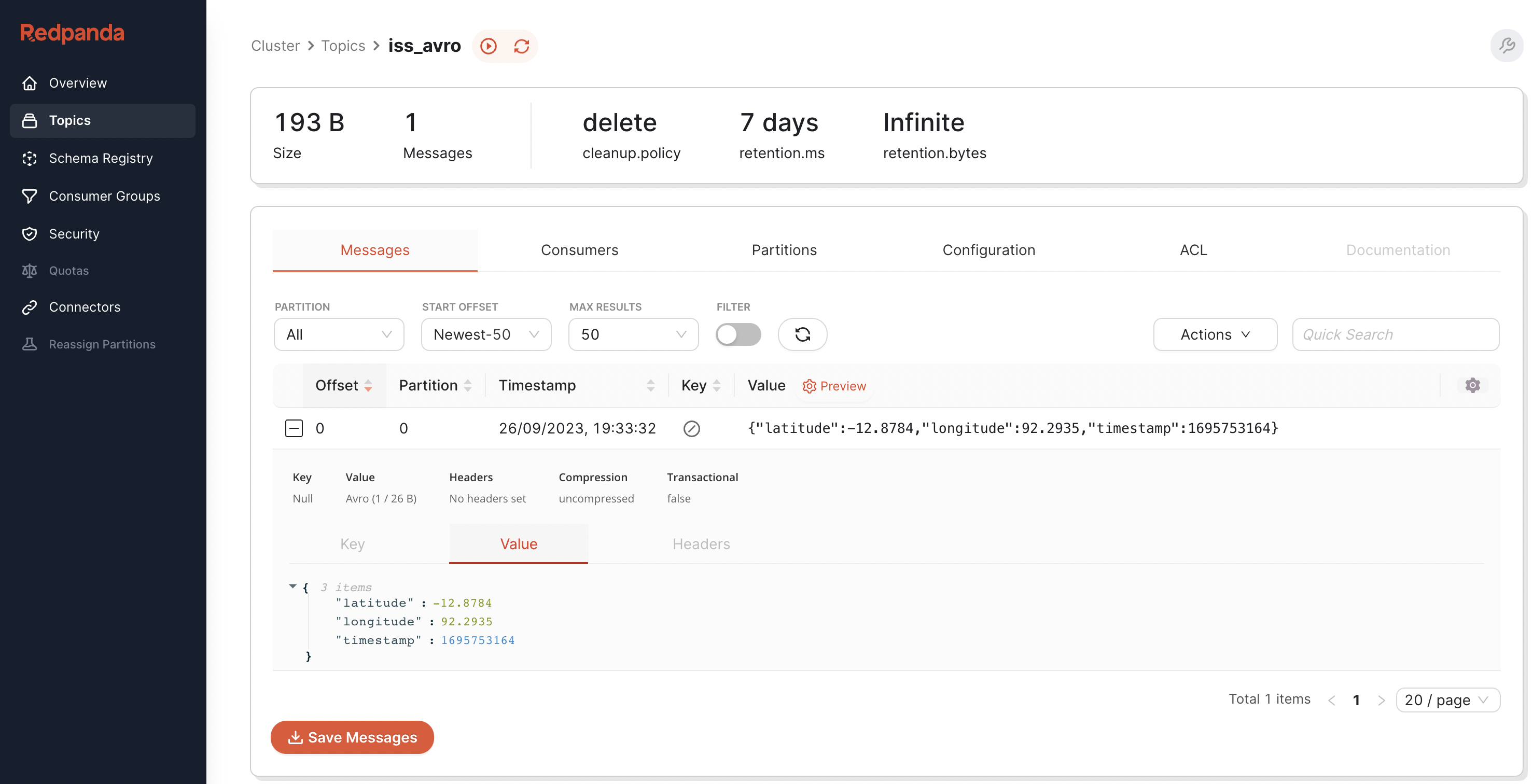
Open Redpanda Console to view the decoded data.
Files in the example
-
iss.avsc: Avro schema used for conversion. -
profile.yml: Used to configurerpkwith therpk profilecommand. -
transform.go: This is the Golang code that will be compiled to WebAssembly. This code:-
Initializes the transform, including getting the schema from the Schema Registry and creating the
goavrocodec object (both stored in global variables). -
Registers the callback
toAvro. -
toAvroparses the JSON into a structiss_now, converts the struct into a map and then converts the map to Avro binary using thegoavrocodec. -
Prepends the schema ID using the magic five bytes
0x0followed by a BigEndianuint32. -
This is all appended to the output slice.
-
Clean up
To shut down and delete the containers along with all your cluster data:
docker compose down -vNext steps
You could set up a loop to poll the location of the ISS and produce it to the iss_json topic. For example:
while true
do
line=`curl http://api.open-notify.org/iss-now.json -s`
echo $line | rpk topic produce iss_json
sleep 1
done