Manage LLM Providers with rpk ai
Create, check, update, disable, and delete LLM providers from your terminal with rpk ai, so you can script provider changes and keep their definitions in version control. The commands work on the same providers that Configure an LLM Provider describes.
After reading this page, you will be able to:
-
Create an LLM provider of each supported type with rpk ai
-
Verify a provider’s connection and find the model identifiers it can serve
-
Change, disable, or delete a provider after you create it
Prerequisites
-
The
rpk aiplugin, installed and signed in to the Agentic Data Plane environment you want to change. See Use the Agentic Data Plane CLI. -
Permission to manage LLM providers. Admins already have this permission. Other roles need an access policy that grants
LLMProvider.create,LLMProvider.update,LLMProvider.delete, andLLMProvider.check_connection, as LLM provider permissions describes. -
The upstream credential for your provider type:
-
An API key for Anthropic, OpenAI, Google Gemini API, or Fireworks.
-
AWS credentials for Amazon Bedrock.
-
A service account key for Gemini Enterprise Agent Platform.
-
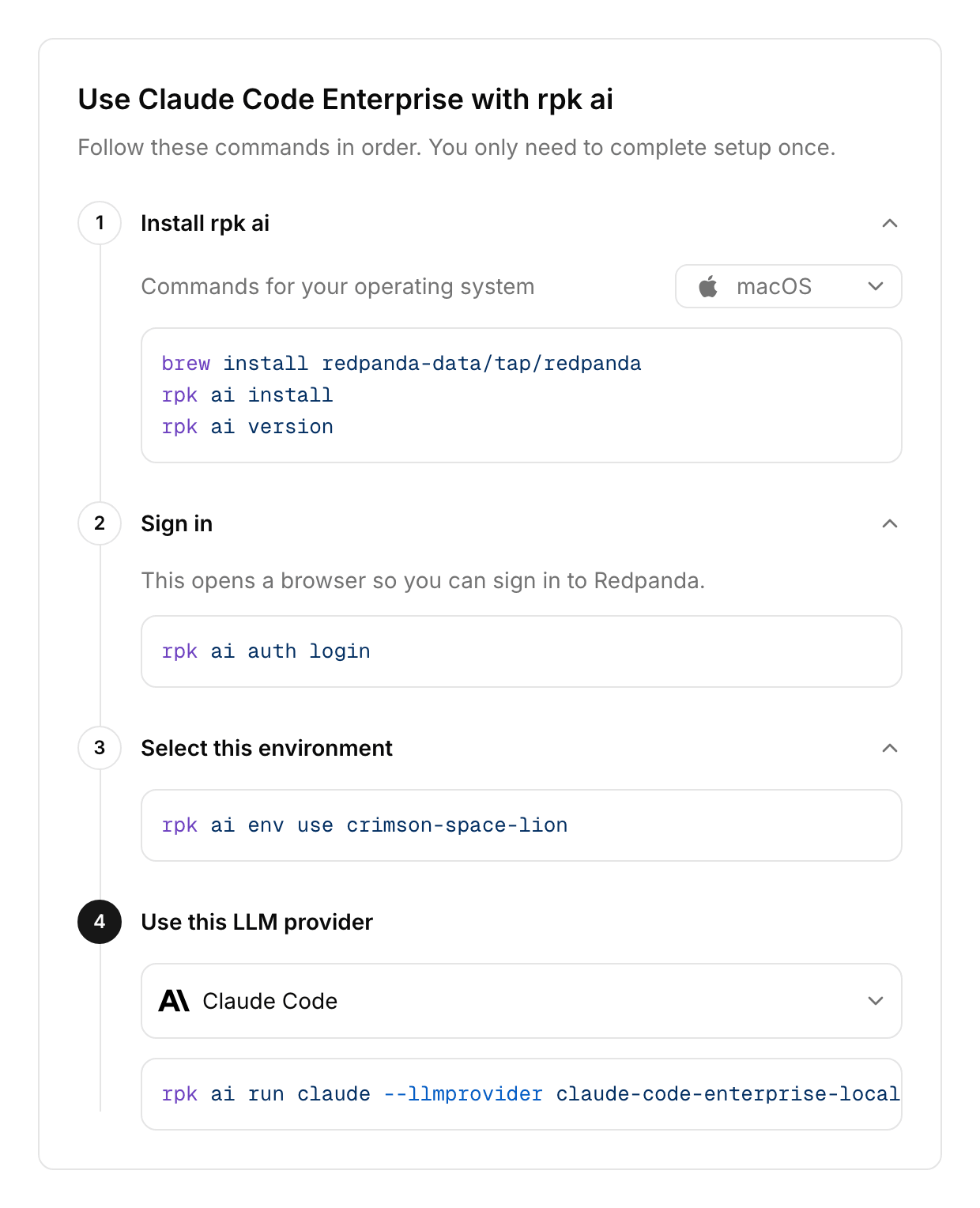
On a provider’s detail page, click Use with rpk ai to open a drawer with the install, sign-in, and environment commands, followed by the commands for that provider. See Monitor and Manage an LLM Provider.
Store the API key
A provider references a secret in the secret store by name and never holds the key itself. AI Gateway reads the secret when it connects to the upstream provider, so store the key first. Secret names use UPPER_SNAKE_CASE.
The API-key examples on this page read each key from an environment variable that has the same name as the secret. Export the variable first, then pipe the key into rpk ai secret create so it stays out of your shell history:
printf %s "$ANTHROPIC_API_KEY" | rpk ai secret create ANTHROPIC_API_KEY --value-file=-Write --value-file=- with the equals sign. rpk drops a bare - after a flag, so the command fails without it. The --value-file flag also takes a file path, which is how you store a service account key file. For tags, listing, and the rest of the secret commands, see Manage secrets with rpk ai.
Find model identifiers
A provider serves only the models you select for it, so you need their identifiers before you create it. List the catalog for a provider type:
rpk ai model list --provider-type anthropicThe NAME column holds the identifier to pass to --provider-models. To list the provider types and the default endpoint each one uses, run:
rpk ai llm-provider typesThis table maps each provider type’s UI name to its --provider-type value and configuration flag group:
| Provider type in the UI | --provider-type value |
Flag group |
|---|---|---|
OpenAI |
|
|
Anthropic |
|
|
Google Gemini API |
|
|
Amazon Bedrock |
|
|
Gemini Enterprise Agent Platform |
|
|
OpenAI-compatible |
|
|
Fireworks |
|
|
For an OpenAI-compatible provider, the catalog doesn’t list models for your endpoint, so pass the identifiers your endpoint accepts.
Create a provider
The rpk ai llm-provider create command takes the provider’s name as its positional argument. The name becomes the resource ID. Choose a name that starts with a lowercase letter, contains only lowercase letters, numbers, and hyphens, ends with a letter or number, and stays within 63 characters. For every provider type:
-
The flag group you set selects the provider type. If you set flags from two groups, the command fails.
-
Every flag that ends in
-reftakes a secret-store reference, never the key itself. -
Pass one
--provider-modelsflag per model. The flag also accepts a comma-separated list. -
Pass
--enabled. Without it, the provider stays disabled and rejects every request. -
Pass
--dry-runto print the request the command would send, without sending it.
After you create a provider, run rpk ai llm-provider check <name> to confirm that it reaches the upstream provider. See Check the connection.
Anthropic
With the ANTHROPIC_API_KEY secret stored, create an enabled provider with one model and check the connection:
rpk ai llm-provider create anthropic \
  --display-name "Anthropic" \
  --anthropic-config.api-key-ref ANTHROPIC_API_KEY \
  --provider-models <model> \
  --enabled
rpk ai llm-provider check anthropic
Replace <model> with an identifier from rpk ai model list --provider-type anthropic. The create command prints the provider it created. In the output, <cluster-id> stands for your environment’s cluster ID, and user@example.com stands for your signed-in email address:
NAME:              anthropic
DISPLAY_NAME:      Anthropic
TYPE:              ANTHROPIC
MODELS:            <model>
ENABLED:           true
CREATED_AT:        2026-11-11T19:01:01Z
UPDATED_AT:        2026-11-11T19:01:01Z
CREATED_BY:        user@example.com
UPDATED_BY:        user@example.com
URL:               https://aigw.<cluster-id>.clusters.rdpa.co/llm/v1/providers/anthropic
ANTHROPIC_CONFIG:  AnthropicConfig
TRANSCRIPTS:       Transcripts

PROVIDER_MODELS:
NAME
<model>
The URL line is the proxy URL your applications call. To forward each client’s own Anthropic credential instead of a stored key, pass --anthropic-config.authorization-passthrough and leave the key reference out. The provider then needs no secret.
To see the request before you send it, add --dry-run:
rpk ai llm-provider create anthropic \
  --display-name "Anthropic" \
  --anthropic-config.api-key-ref ANTHROPIC_API_KEY \
  --provider-models <model> \
  --enabled \
  --dry-run
The command prints the request and creates nothing:
llm_provider:
  anthropic_config:
    api_key_ref: ANTHROPIC_API_KEY
  display_name: Anthropic
  enabled: true
  name: anthropic
  provider_models:
  - name: <model>
OpenAI
Store the key and create an enabled provider:
printf %s "$OPENAI_API_KEY" | rpk ai secret create OPENAI_API_KEY --value-file=-
rpk ai llm-provider create openai \
  --display-name "OpenAI" \
  --openai-config.api-key-ref OPENAI_API_KEY \
  --provider-models <model> \
  --enabled
To forward each client’s own credential instead of a stored key, pass --openai-config.authorization-passthrough and leave the key reference out. To point the provider at another OpenAI-compatible host, such as the Codex endpoint, pass --openai-config.base-url.
Google Gemini API
Store the key and create an enabled provider:
printf %s "$GOOGLE_AI_API_KEY" | rpk ai secret create GOOGLE_AI_API_KEY --value-file=-
rpk ai llm-provider create google-gemini \
  --display-name "Google Gemini API" \
  --google-config.api-key-ref GOOGLE_AI_API_KEY \
  --provider-models <model> \
  --enabled
Amazon Bedrock
This example uses static credentials, as Set Up Amazon Bedrock as an LLM Provider describes. Store both keys and create an enabled provider:
printf %s "$AWS_ACCESS_KEY_ID" | rpk ai secret create AWS_ACCESS_KEY_ID --value-file=-
printf %s "$AWS_SECRET_ACCESS_KEY" | rpk ai secret create AWS_SECRET_ACCESS_KEY --value-file=-
rpk ai llm-provider create bedrock \
  --display-name "Amazon Bedrock" \
  --bedrock-config.region us-east-1 \
  --bedrock-config.static-credentials.access-key-id-ref AWS_ACCESS_KEY_ID \
  --bedrock-config.static-credentials.secret-access-key-ref AWS_SECRET_ACCESS_KEY \
  --provider-models <model> \
  --enabled
Replace us-east-1 with the AWS region that serves your models. Bedrock takes three other credential modes:
-
To use a Bedrock API key, pass
--bedrock-config.api-key.api-key-refinstead of the two static-credential flags. -
To use an IAM role, pass
--bedrock-config.assume-role.role-arnand, to name the session,--bedrock-config.assume-role.session-name. The created provider shows anExternal ID, which you add to the role’s trust policy, as Configure an LLM Provider describes. -
To use the default AWS credential chain, leave out every credential flag.
The optional --bedrock-config.base-url flag sets a custom runtime endpoint.
Gemini Enterprise Agent Platform
The secret holds the service account key file you download from GCP, so store it from a file and create an enabled provider:
rpk ai secret create VERTEX_SERVICE_ACCOUNT_KEY --value-file=service-account-key.json
rpk ai llm-provider create vertex \
  --display-name "Gemini Enterprise Agent Platform" \
  --vertex-config.project my-gcp-project \
  --vertex-config.location global \
  --vertex-config.credentials-json.credentials-json-ref VERTEX_SERVICE_ACCOUNT_KEY \
  --provider-models <model> \
  --enabled
Replace service-account-key.json with the path to your key file and my-gcp-project with your GCP project ID. The --vertex-config.location value must serve every model on the provider. See Set Up Gemini Enterprise Agent Platform as an LLM Provider for the GCP setup steps.
OpenAI-compatible
Create an enabled provider with no credential, for a local runtime:
rpk ai llm-provider create vllm \
  --display-name "vLLM" \
  --openai-compatible-config.base-url http://vllm.internal:8000/v1 \
  --provider-models <model> \
  --enabled
Replace the base URL with your endpoint’s URL and <model> with the exact identifier your endpoint serves. Always pass the base URL. The UI requires one for this type, but the CLI doesn’t, and a provider created without one calls https://api.openai.com/v1. For an endpoint that takes a key, store it and pass --openai-compatible-config.api-key-ref. To forward each client’s own credential, pass --openai-compatible-config.authorization-passthrough instead.
Fireworks
Store the key and create an enabled provider:
printf %s "$FIREWORKS_API_KEY" | rpk ai secret create FIREWORKS_API_KEY --value-file=-
rpk ai llm-provider create fireworks \
  --display-name "Fireworks" \
  --fireworks-config.api-key-ref FIREWORKS_API_KEY \
  --provider-models <model> \
  --enabled
Fireworks bills your account for the requests that the connection check sends, one per selected model. Replace <model> with the full identifier from rpk ai model list --provider-type fireworks, which starts with accounts/fireworks/models/. Fireworks providers don’t take a base URL or an authorization-passthrough flag.
Check the connection
The rpk ai llm-provider check command runs the same check as Test connection in the UI. The provider must be enabled:
rpk ai llm-provider check anthropicWhen the check passes, it prints OK with the provider’s name and the latency. When it fails, it prints FAIL with the code, the message, and a reason. It also exits with a non-zero status, so a script can act on the result. A provider whose secret doesn’t exist yet reports:
FAIL  anthropic  code=9  secret "ANTHROPIC_API_KEY" not found
      reason=CREDENTIAL_MISSING  domain=redpanda.com/adp
What the check tests depends on the provider type:
-
For Anthropic, OpenAI, Google Gemini API, and OpenAI-compatible providers, the check lists the models the upstream provider serves, using your credential.
-
For Amazon Bedrock with AWS credentials, the check confirms the credentials with an identity call.
-
For Amazon Bedrock with a Bedrock API key, the check lists the region’s foundation models.
-
For Gemini Enterprise Agent Platform, the check sends one request to each selected model. Google bills the requests to Claude models, and the requests to Gemini models are free.
-
For Fireworks, the check sends one request to each selected model, and Fireworks bills every one.
-
For any type with authorization passthrough turned on, the check can’t pass because the provider holds no credential to test. The first real request verifies access.
A Bedrock provider with a custom base URL can’t run the check. See Save and verify for what each result means.
Inspect providers
List the providers in the environment, or narrow the list by name:
rpk ai llm-provider list
rpk ai llm-provider list --name-contains anthropic
The table shows each provider’s name, display name, type, proxy URL, and whether it’s enabled. Read one provider in full with get, and choose a format with -o for scripts:
rpk ai llm-provider get anthropic
rpk ai llm-provider get anthropic -o json
rpk ai llm-provider get anthropic -o yaml > anthropic.yaml
The -o flag takes table, wide, json, yaml, or markdown. Commit the YAML output as a manifest, and apply it with rpk ai llm-provider apply. See Manage Resources with GitOps.
Update a provider
The rpk ai llm-provider update command changes only the fields whose flags you pass. You can’t change the provider type or name after creation. AI Gateway picks up an update shortly after the command succeeds.
Change the display name:
rpk ai llm-provider update anthropic --display-name "Anthropic (production)"Replace the model list. Each update sends the full list, so include every model you want to keep:
rpk ai llm-provider update anthropic \
  --provider-models <model> \
  --provider-models <other-model>
Replace <other-model> with a second identifier from the same catalog.
Point the provider at a different secret:
rpk ai llm-provider update anthropic --anthropic-config.api-key-ref ANTHROPIC_API_KEY_2026Stop recording transcripts. Each transcript flag changes only its own setting, so pass both flags to stop recording input and output messages:
rpk ai llm-provider update anthropic \
  --transcripts.record-input-messages=false \
  --transcripts.record-output-messages=false
Tag the provider. The --tags flag replaces all of the provider’s tags, so pass every tag you want to keep:
rpk ai llm-provider update anthropic --tags team=platform --tags env=productionAttach a guardrail. Replace content-safety with your guardrail’s name:
rpk ai llm-provider update anthropic --guardrail content-safetyRemove the guardrail with --clear:
rpk ai llm-provider update anthropic --clear guardrailOverride the catalog rates for a model, in US dollars per million tokens. On update, the --pricing flag replaces the provider’s model list. Pass every model you keep, each as a --pricing value or a --provider-models value. This example keeps one model and prices it:
rpk ai llm-provider update anthropic \
  --pricing "model=<model>,input=2.50,output=10.00,cached=1.25"
See Override per-model pricing for the rate keys and how overrides apply.
Add --dry-run to any update to see the request and the fields it changes, without sending it. For example, adding it to the secret-reference update prints:
llm_provider:
  anthropic_config:
    api_key_ref: ANTHROPIC_API_KEY_2026
  name: anthropic
update_mask:
  paths:
  - anthropic_config.api_key_ref
Rotate an API key
To rotate a key without changing the provider, replace the secret’s value in place:
printf %s "$ANTHROPIC_API_KEY" | rpk ai secret update ANTHROPIC_API_KEY --value-file=-AI Gateway caches each provider’s connection, including the secret it read, and rebuilds it after a few minutes. The new key takes effect when that happens, not on the next request. A connection check run right after the rotation can still use the old key. Wait a few minutes, then confirm the rotation with rpk ai llm-provider check anthropic.
To switch keys without waiting for the cache to expire, store the new key under a new name and point the provider at it, as described in Update a provider.
Disable, enable, or delete a provider
Disabling a provider keeps its configuration but rejects every request to its proxy URL. To disable one, run:
rpk ai llm-provider update anthropic --enabled=falseEnable it again:
rpk ai llm-provider update anthropic --enabledWhile a provider is disabled, the connection check reports provider is disabled.
Deleting a provider removes it permanently, and requests to its proxy URL fail until you point clients at another provider. To delete one, run:
rpk ai llm-provider delete anthropicThe command prints Deleted LLM provider anthropic.
Troubleshooting
In this table, <type> stands for a provider type’s flag-group prefix, <name> for a provider name, and <NAME> for a secret name.
| Symptom | Resolution |
|---|---|
|
The provider has one type. Pass flags from one |
|
The reference isn’t a valid secret name. Use an |
|
The plugin version predates that flag. Upgrade it with |
|
The provider references a secret that doesn’t exist. Store it with |
|
The provider is disabled. Enable it with |
Any command reports that the access token is expired |
Your session expired. Sign in again with |
