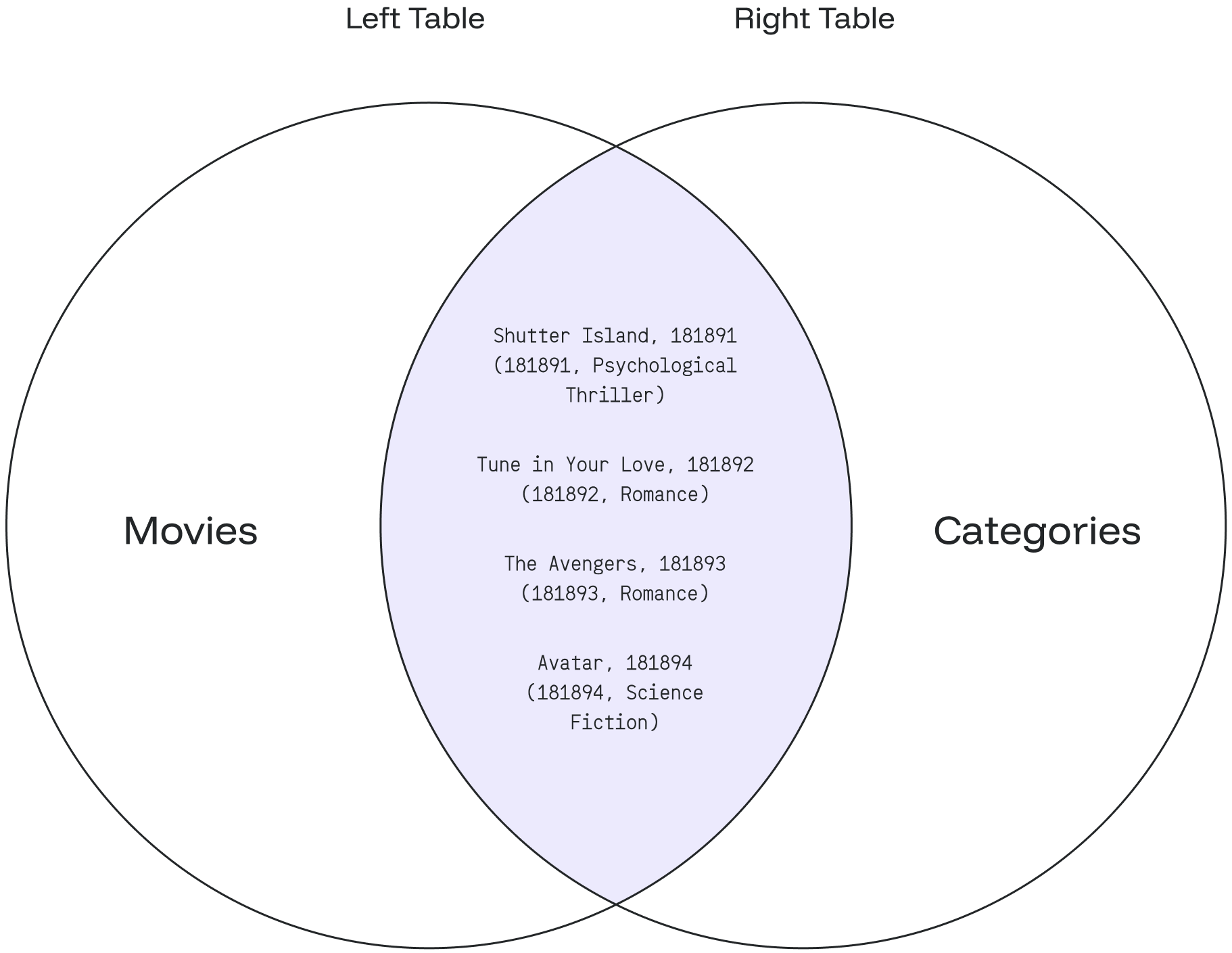
JOIN
The JOIN clause combines records from two tables based on common fields.
Syntax
JOIN … ON
SELECT table_1.column_1, table_2.column_2...
FROM table_1
JOIN table_2
ON table_1.common_field = table_2.common_field-
SELECT table_1.column_1, table_2.column_2…selects the columns to display from both tables. -
FROM table_1 JOIN table_2represents the joined tables. -
ON table_1.common_field = table_2.common_fieldcompares each row oftable_1with each row oftable_2to find all pairs of rows that meet the join condition. -
When the condition is met, Redpanda SQL combines column values for each matched pair of rows from
table_1andtable_2into a result row.
JOIN … USING
SELECT column_1, column_2...
FROM table_1
JOIN table_2
USING (column_name [, column_name2 ...])
The USING clause is a shorthand for joining tables when both tables share columns with the same name. Instead of writing ON table_1.id = table_2.id, you can write USING (id). When joining on multiple shared columns, separate them with commas: USING (id, name).
Examples
The following examples use two tables: movies and categories.
Create the movies table:
CREATE TABLE movies (
  movie_id int,
  movie_name text,
  category_id int
);
INSERT INTO movies
    (movie_id, movie_name, category_id)
VALUES
    (201011, 'The Avengers', 181893),
    (200914, 'Avatar', 181894),
    (201029, 'Shutter Island', 181891),
    (201925, 'Tune in Your Love', 181892);
SELECT * FROM movies;This returns:
+------------+-----------------------+--------------+
| movie_id   | movie_name            | category_id  |
+------------+-----------------------+--------------+
| 201011     | The Avengers          | 181893       |
| 200914     | Avatar                | 181894       |
| 201029     | Shutter Island        | 181891       |
| 201925     | Tune in Your Love     | 181892       |
+------------+-----------------------+--------------+
Create the categories table:
CREATE TABLE categories (
  id int,
  category_name text
);
INSERT INTO categories
    (id, category_name)
VALUES
    (181891, 'Psychological Thriller'),
    (181892, 'Romance'),
    (181893, 'Fantasy'),
    (181894, 'Science Fiction'),
    (181895, 'Action');
SELECT * FROM categories;This returns:
+-----------+--------------------------+
| id        | category_name            |
+-----------+--------------------------+
| 181891    | Psychological Thriller   |
| 181892    | Romance                  |
| 181893    | Fantasy                  |
| 181894    | Science Fiction          |
| 181895    | Action                   |
+-----------+--------------------------+
A JOIN query against these tables:
SELECT a.movie_name, c.category_name
FROM movies AS a
JOIN categories AS c
ON a.category_id = c.id;
The query returns:
+-----------------------+---------------------------+
| movie_name            | category_name             |
+-----------------------+---------------------------+
| Shutter Island        | Psychological Thriller    |
| Tune in Your Love     | Romance                   |
| The Avengers          | Fantasy                   |
| Avatar                | Science Fiction           |
+-----------------------+---------------------------+
The JOIN checks each row of the category_id column in the movies table against the id column of each row in the categories table. When the values match, Redpanda SQL creates a new result row that combines columns from both tables.
The following Venn diagram illustrates this example: