RIGHT JOIN
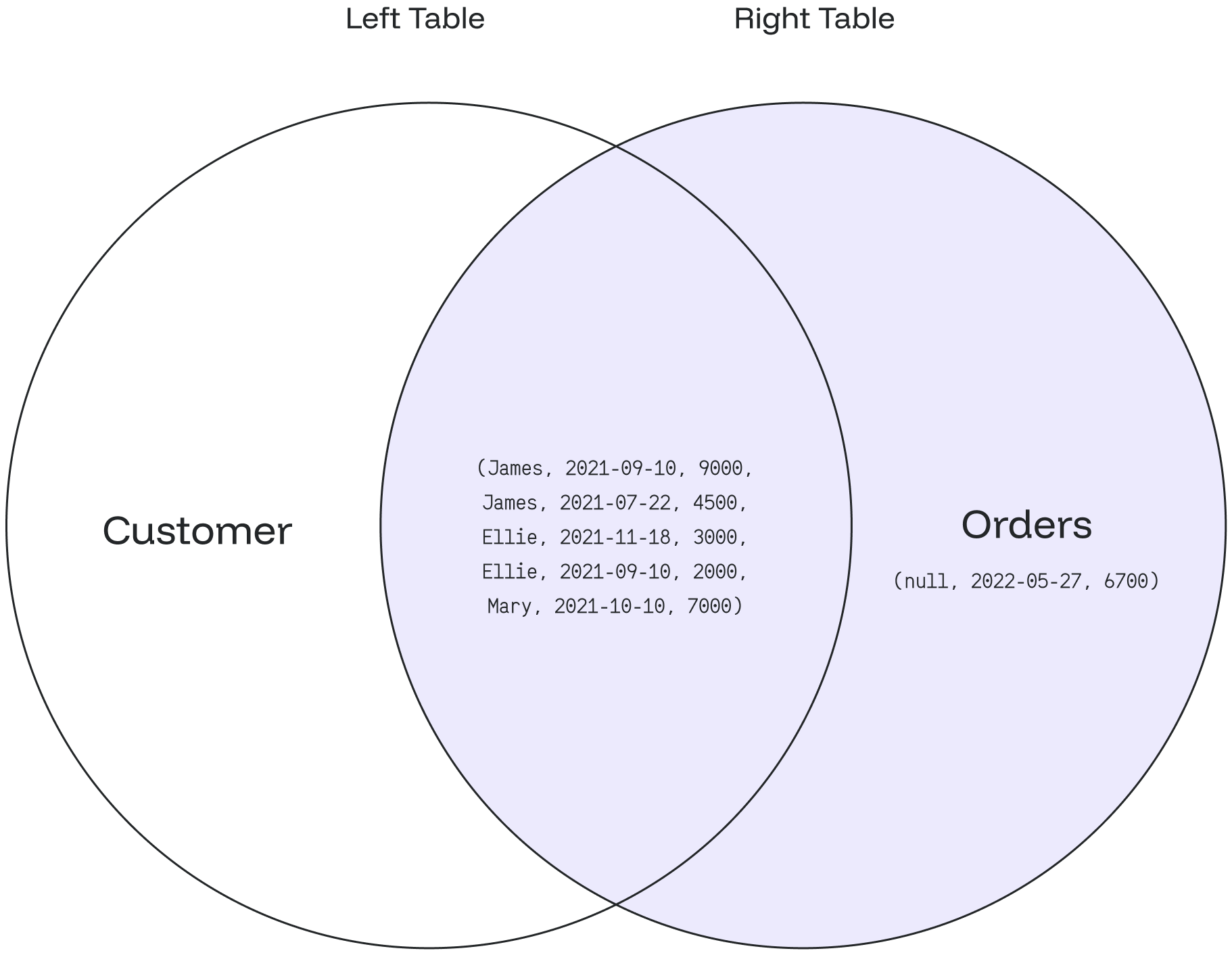
The RIGHT JOIN returns all matching records from the right table combined with the left table. Even if there are no matching records in the left table, the RIGHT JOIN still returns a row in the result, with NULL in each column from the left table.
Syntax
SELECT column_1, column_2...
FROM table_1
RIGHT JOIN table_2
ON table_1.matching_field = table_2.matching_field;
In this syntax:
-
SELECT column_1, column_2…defines the columns from both tables to display. -
FROM table_1definestable_1as the left table in theFROMclause. -
RIGHT JOIN table_2definestable_2as the right table in theRIGHT JOINcondition. -
ON table_1.matching_field = table_2.matching_fieldsets the join condition after theONkeyword with the matching field between the two tables.
Examples
Create the customer table:
CREATE TABLE customer (
  id int NOT NULL,
  customer_name text
);

INSERT INTO customer
    (id, customer_name)
VALUES
    (201011,'James'),
    (200914,'Harry'),
    (201029,'Ellie'),
    (201925,'Mary');
SELECT * FROM customer;This returns:
+-----------+----------------+
| id        | customer_name  |
+-----------+----------------+
| 201011    | James          |
| 200914    | Harry          |
| 201029    | Ellie          |
| 201925    | Mary           |
+-----------+----------------+
Create the orders table:
CREATE TABLE orders (
  order_id int NOT NULL,
  order_date date,
  order_amount int,
  customer_id int
);

INSERT INTO orders
    (order_id, order_date, order_amount, customer_id)
VALUES
    (181893,'2021-10-08',3000,201029),
    (181894,'2021-11-18',2000,201029),
    (181891,'2021-09-10',9000,201011),
    (181892,'2021-10-10',7000,201925),
    (181897,'2022-05-27',6700,null),
    (181899,'2021-07-22',4500,201011);
SELECT * FROM orders;This returns:
+------------+------------------+---------------+-------------+
| order_id   | order_date       | order_amount  | customer_id |
+------------+------------------+---------------+-------------+
| 181893     | 2021-10-08       | 3000          | 201029      |
| 181894     | 2021-11-18       | 2000          | 201029      |
| 181891     | 2021-09-10       | 9000          | 201011      |
| 181892     | 2021-10-10       | 7000          | 201925      |
| 181897     | 2022-05-27       | 6700          | null        |
| 181899     | 2021-07-22       | 4500          | 201011      |
+------------+------------------+---------------+-------------+
A RIGHT JOIN query against these tables:
SELECT customer_name, order_date, order_amount
FROM customer
RIGHT JOIN orders
ON customer.id = orders.customer_id;-
The
customertable is the left table, and theorderstable is the right table. -
The query combines values from the
orderstable usingcustomer_idand matches records using theidcolumn from thecustomertable. -
When records match, Redpanda SQL creates a new row with
customer_nameandorder_amountcolumns as defined in theSELECTclause. -
Otherwise, a new row is created with
NULLvalues from the left table (customer).
The query returns:
+------------------+----------------+-----------------+
| customer_name    | order_date     | order_amount    |
+------------------+----------------+-----------------+
| James            | 2021-09-10     | 9000            |
| James            | 2021-07-22     | 4500            |
| Ellie            | 2021-10-08     | 3000            |
| Ellie            | 2021-11-18     | 2000            |
| Mary             | 2021-10-10     | 7000            |
| null             | 2022-05-27     | 6700            |
+------------------+----------------+-----------------+
Based on the data from the customer and orders tables:
-
Order id
181893matches the customerEllie. -
Order id
181894matches the customerEllie. -
Order id
181891matches the customerJames. -
Order id
181899matches the customerJames. -
Order id
181892matches the customerMary. -
Order id
181897does not match any customer, so thecustomer_namecolumn isNULL.
|
A |
The following Venn diagram illustrates the RIGHT JOIN: