OUTER JOIN
The OUTER JOIN (also known as FULL OUTER JOIN) returns all the records from the selected fields between the two tables (left and right), whether the join condition is met or not.
Inner join vs. outer join
An INNER JOIN returns only matched rows. An OUTER JOIN returns all rows from both tables, whether matched or not.
Syntax
SELECT column_1, column_2...
FROM table_1
FULL OUTER JOIN table_2
ON table_1.matching_field = table_2.matching_field;
In this syntax:
-
SELECT column_1, column_2…defines the columns from both tables to display data. -
FROM table_1representstable_1as the left table in theFROMclause. -
FULL OUTER JOIN table_2representstable_2as the right table in theFULL OUTER JOINcondition. -
ON table_1.matching_field = table_2.matching_fieldsets the join condition after theONkeyword with the matching field between the two tables.
Table alias
A table alias is a temporary name given to a table in a query. Aliases don’t change the result; they make queries easier to read.
SELECT A.column_1, B.column_2...
FROM table_1 A
FULL OUTER JOIN table_2 B
ON A.matching_field = B.matching_field;|
If there are no matched records from the joined tables, |
Examples
Create the departments table:
CREATE TABLE departments (
    department_id int,
    department_name text
);
INSERT INTO departments (department_id,department_name)
VALUES
    (1001, 'Sales'),
    (1002, 'Marketing'),
    (1003, 'HR'),
    (1004, 'Project'),
    (1005, 'Product');
SELECT * FROM departments;This returns:
+----------------+------------------+
| department_id  | department_name  |
+----------------+------------------+
| 1001           | Sales            |
| 1002           | Marketing        |
| 1003           | HR               |
| 1004           | Project          |
| 1005           | Product          |
+----------------+------------------+
Create the employee table:
CREATE TABLE employee (
    employee_id int,
    employee_name text,
    dept_id int
);
INSERT INTO employee (
    employee_id,
    employee_name,
    dept_id
)
VALUES
    (2001,'Tony Stark', 1002),
    (2002,'Christian Bale', 1002),
    (2003,'Anne Hailey', 1003),
    (2004,'Wilson Cliff', 1004),
    (2005,'Susan Oh', 1001),
    (2006,'Julian Robert', 1001),
    (2007,'Gilbert Tom', null);
SELECT * FROM employee;This returns:
+--------------+-------------------+------------+
| employee_id  | employee_name     | dept_id    |
+--------------+-------------------+------------+
| 2001         | Tony Stark        | 1002       |
| 2002         | Christian Bale    | 1002       |
| 2003         | Anne Hailey       | 1003       |
| 2004         | Wilson Cliff      | 1004       |
| 2005         | Susan Oh          | 1001       |
| 2006         | Julian Robert     | 1001       |
| 2007         | Gilbert Tom       | null       |
+--------------+-------------------+------------+
FULL OUTER JOIN
A FULL OUTER JOIN query against these tables:
SELECT employee_name, department_name
FROM departments
FULL OUTER JOIN employee
ON departments.department_id = employee.dept_id;
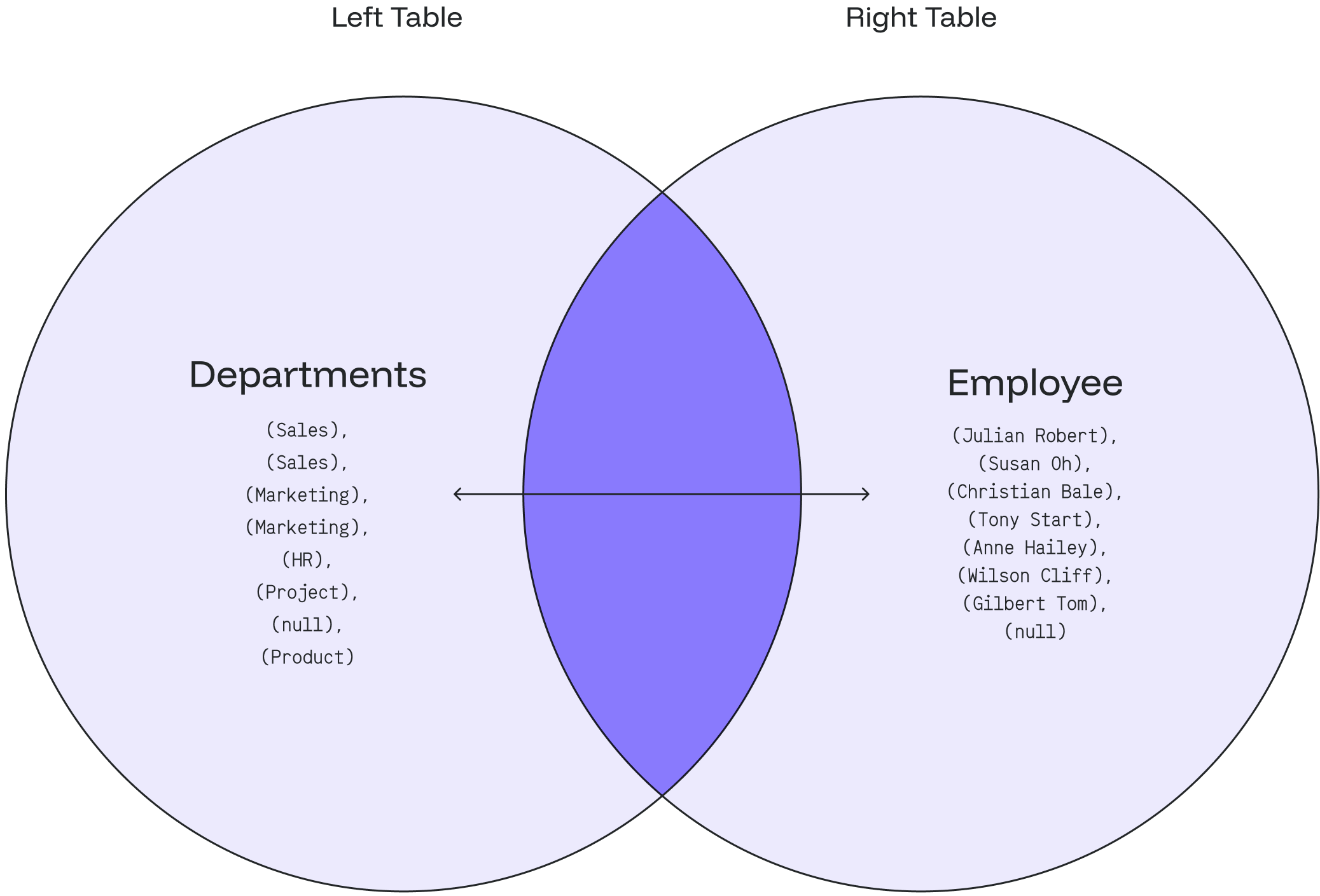
The result shows every department with an employee, the employees who work under a specific department, every department that does not have any employees, and the employees who do not belong to a specific department.
+-------------------+-------------------+
| employee_name     | department_name   |
+-------------------+-------------------+
| Julian Robert     | Sales             |
| Susan Oh          | Sales             |
| Christian Bale    | Marketing         |
| Tony Stark        | Marketing         |
| Anne Hailey       | HR                |
| Wilson Cliff      | Project           |
| Gilbert Tom       | null              |
| null              | Product           |
+-------------------+-------------------+
The following Venn diagram illustrates the FULL OUTER JOIN:
FULL OUTER JOIN with WHERE clause
Find departments with no employees
-
To find departments that do not have any employees, add a
WHEREclause withNULL:SELECT employee_name, department_name FROM departments FULL OUTER JOIN employee ON departments.department_id = employee.dept_id WHERE employee_name IS NULL; -
The query returns:
+------------------+--------------------+
| employee_name    | department_name    |
+------------------+--------------------+
| null             | Product            |
+------------------+--------------------+
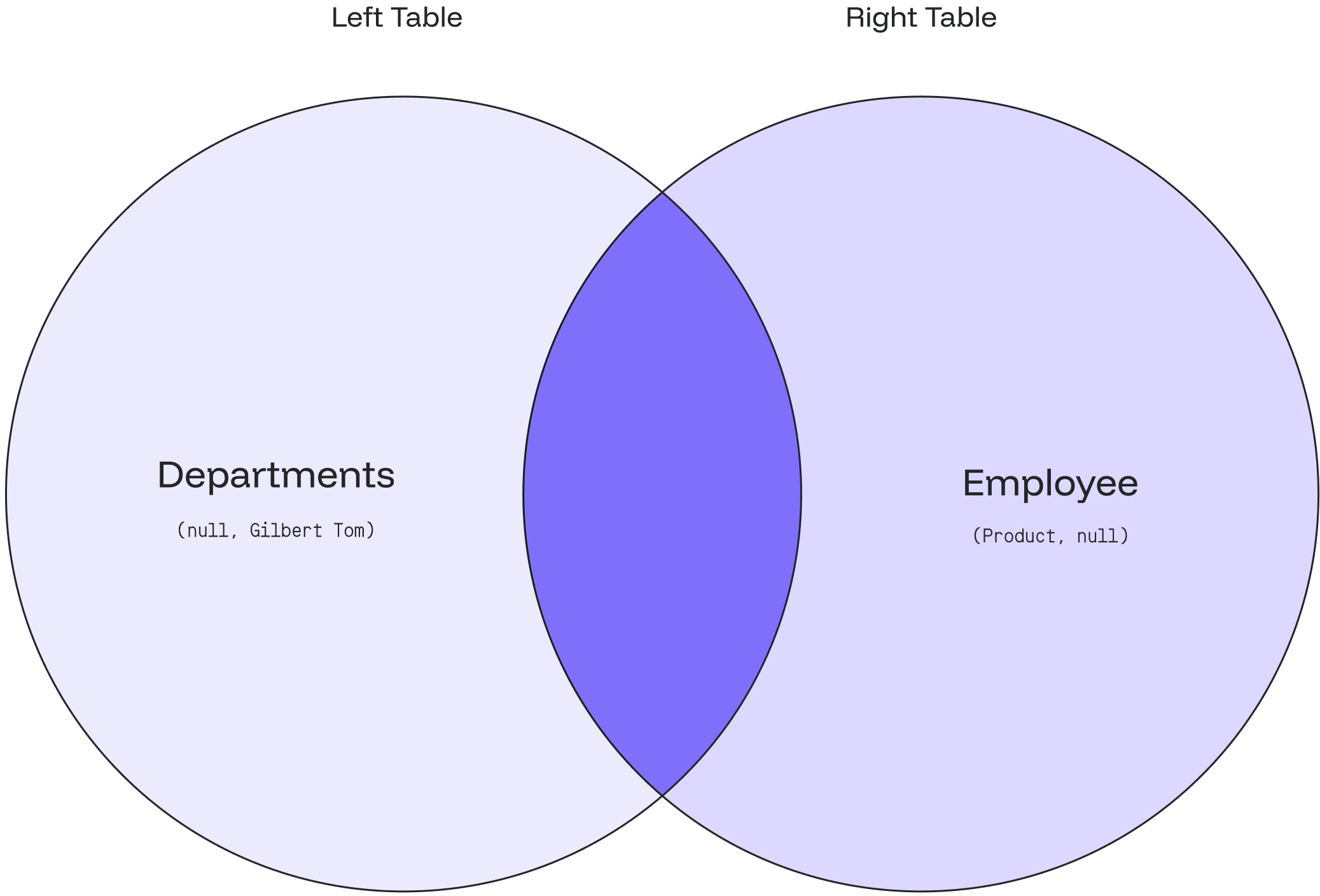
The result indicates that the Product department has no employees.
Find employees with no department
-
To find employees who do not belong to any department, add a
WHEREclause withNULL:SELECT employee_name, department_name FROM employee FULL OUTER JOIN departments ON employee.dept_id = departments.department_id WHERE department_name IS NULL; -
The query returns:
+------------------+--------------------+
| employee_name    | department_name    |
+------------------+--------------------+
| Gilbert Tom      | null               |
+------------------+--------------------+
The result shows that Gilbert Tom does not belong to any department.
The following Venn diagram illustrates the FULL OUTER JOIN with WHERE clause filtering for NULL values: